Group Policy to Auto-restart Clients


We have upgraded most of our client computers to SSD with 16 Gb of RAM. Often, we would still get phone calls and tickets that computers are running slow and sluggish. After remoted in and spent some time to troubleshoot, this is what I usually find from the task manager (after they said they have rebooted several times):

Finally, it is time to deploy an automated recurring reboot for all client computers.
First came in mind is to deploy a task schedular using Group Policy. Note that you will need all clients to sync time correctly. In this case I have all client computers syncing with my domain controller.
Important Note: Communication to all affected personnel and written approval is highly recommended when deploying to a production setting.
Create a GPO and Link it to an OU
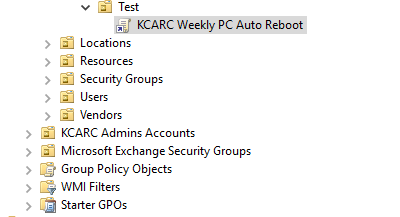
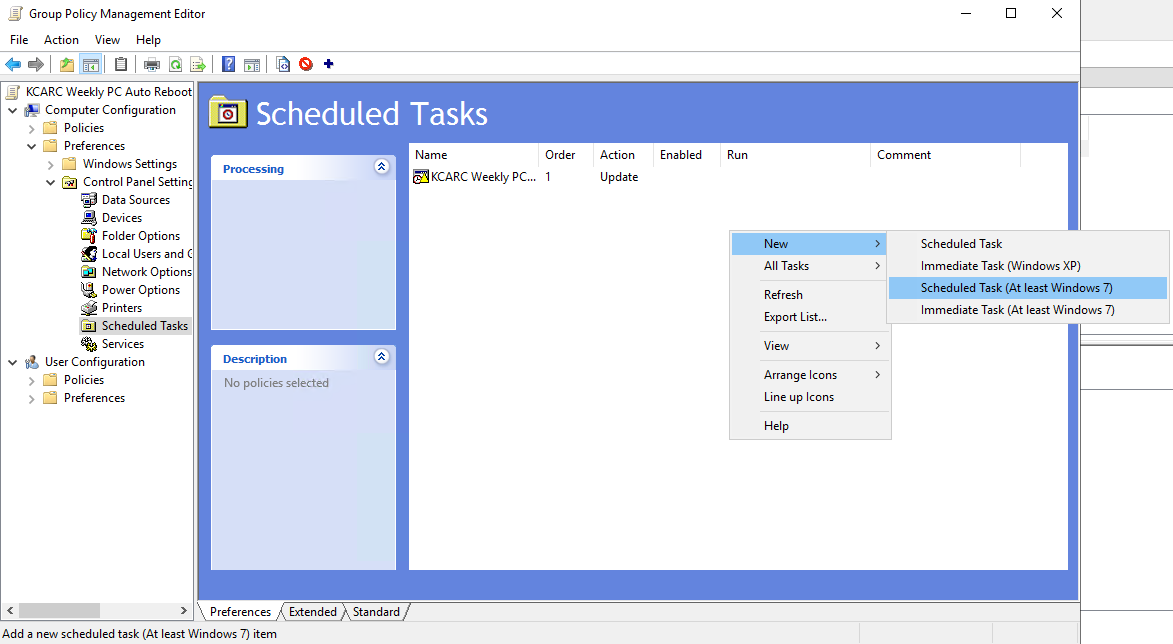
- Edit the GPO and navigate to Computer Configuration -> Preferences -> Control Panel Settings -> Scheduled Tasks.
- Add a new Scheduled Task (At least Windows 7)
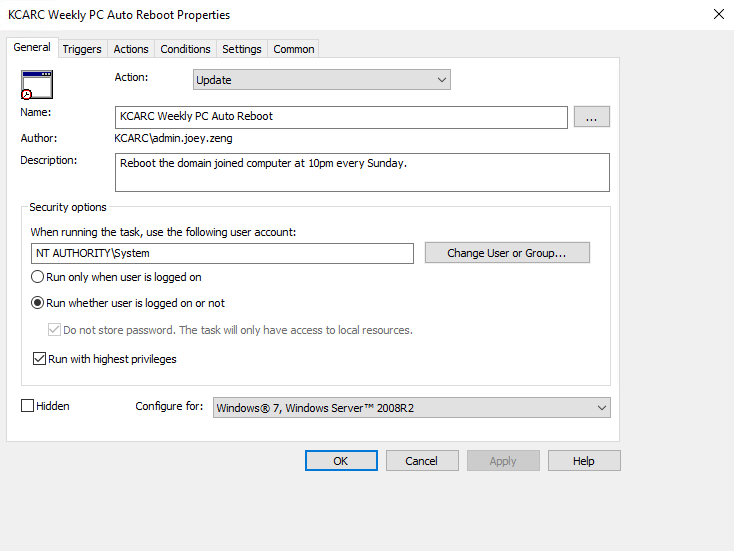
3. General Page Settings:
- Action: Update
- Change User or Group = enter system and click check names to use the local system account.
- Select Run whether user is logged on or not.
- Select Run with highest privileges.
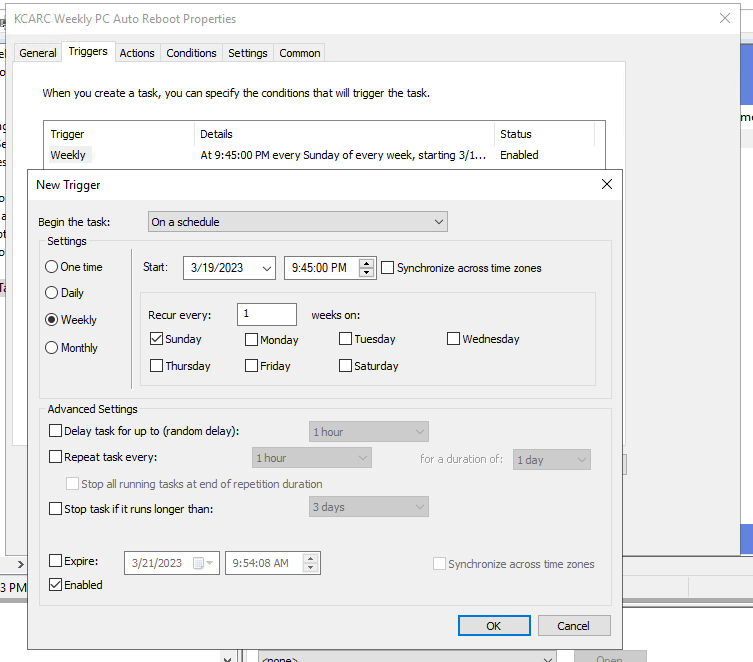
4. Add a new trigger. I set 9:45 pm because my goal is to reboot at 10pm with a 15min buffer time.
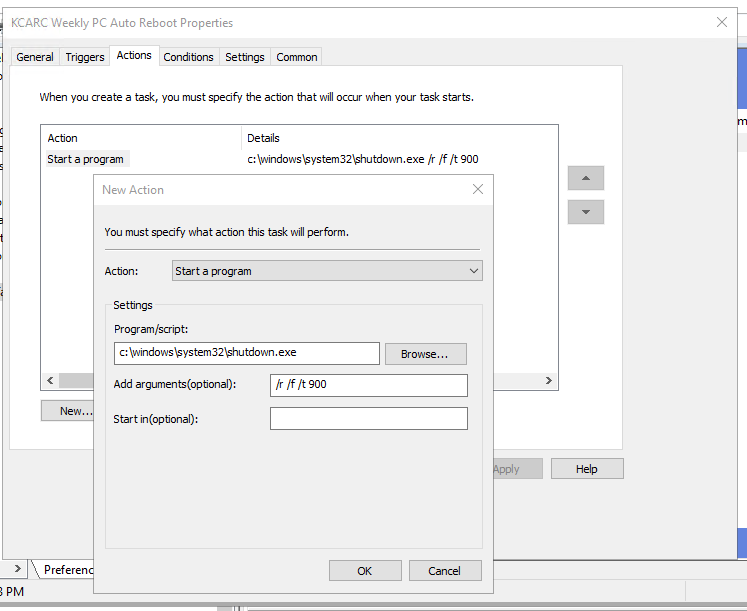
5. Add a new action
Program/script:
c:\windows\system32\shutdown.exe
Optional Argument:
/r for reboot
/f for forcing running app to close without warning
/t for timer 900 seconds (15min)
A list of parameters can be found at shutdown | Microsoft Learn
Security Group for Exclusion
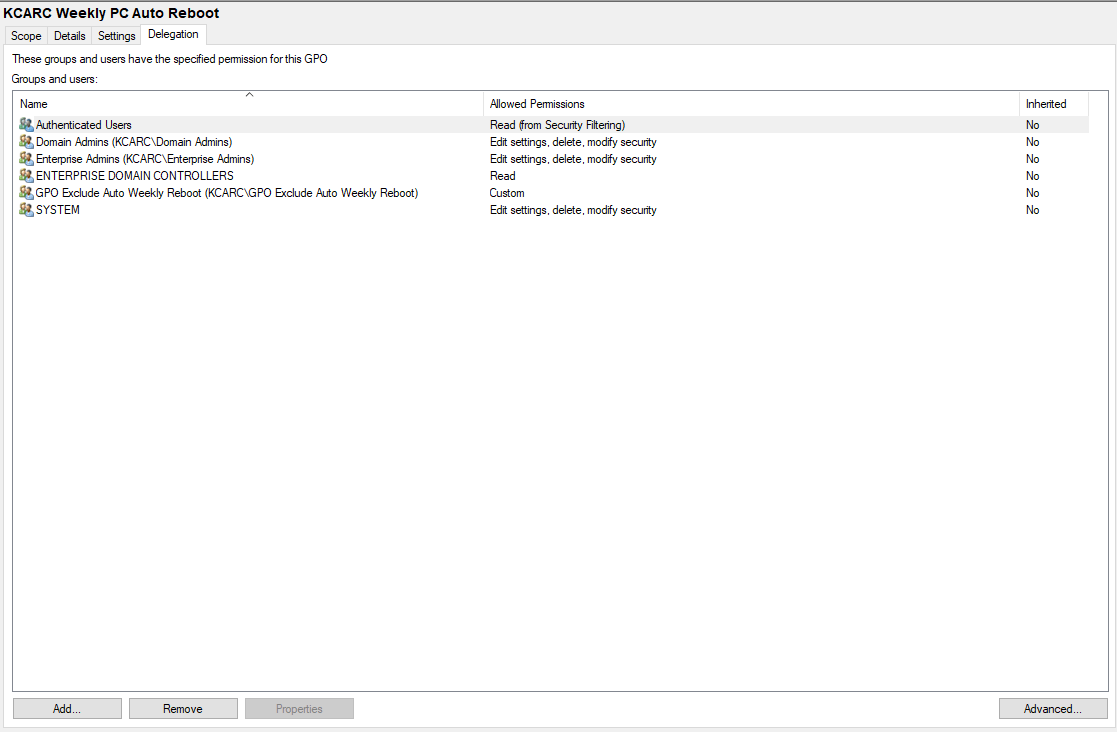
There are always cases where we need to exclude a few from auto rebooting. We can achieve this by using GPO Security Settings.
- Create a security group and add member workstation to it
- Click Advanced from the GPO delegation page
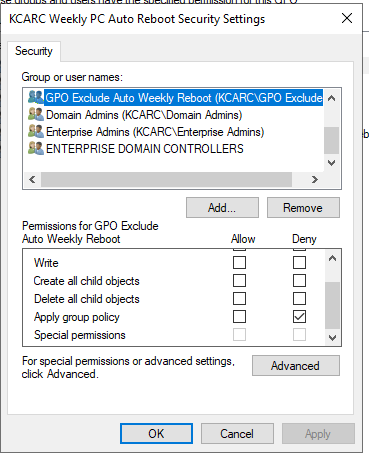
3. Add the newly created exclusion group in the security settings and Deny "Apply group policy"
Alternatively, you can checkout this post by Joseph Moody. This method provides end users the postpone feature and allows for aborting the restart.