Hello Ghost

I picked Ghost over WordPress, and my self-hosted aging PowerEdge could not handle it... (well, part of it)
WordPress is no doubt the world's most popular website builder. However, I struggled to find a simple and minimal design for my blog. Well, at least the free ones.
I first learned about Ghost from several blogs I visited. The modern and simple look got me Googling. Ghost, markets itself "The simple, powerful WordPress alternative", is open source and has native SEO. The looks and functionalities all check the boxes.
Being a Docker enthusiastic, I quickly spawned a Ghost instance on my server. Everything was great and I went to bed happily with smiles.
It is the second day when I found out that I cannot upload any images. Not a large image for a post, not a small profile picture for the about page, or any other images.
Of course, I tried to rebuild first. I also thought it cloud be a Cloudflare Tunnel issue. After ruling that out, then I started to look at logs. Apparently, every time an image is uploaded, Ghost was crashed and would restart.
I started to search for similar issues that might happened to others on the great internet. A few GitHub issues caught my eyes.
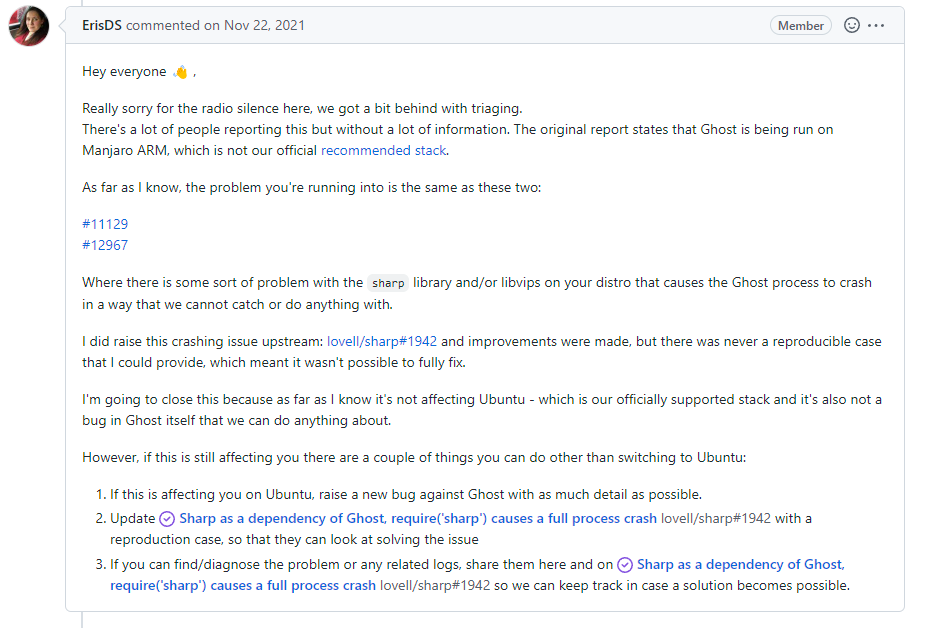
Although we identified that sharp is the root cause, nobody really provided any solutions.
So naturally, I searched what is sharp.
"sharp is a high-performance image processing module for Node.js. This module assists with UGC management by offering an easy solution for reading, enhancing, and saving image files. sharp compresses images faster than most other Node.js modules, like ImageMagick, Jimp, or Squoosh, and produces high-quality results."
After some reading, I felt that this module could be optional for me and my project. Instead of fixing the issue, I can just remove the root cause.
After ranroot:~# find / -type d -name "sharp"
root:~# cd /var/lib/ghost/versions/5.33.8/node_modules
root:/var/lib/ghost/versions/5.33.8/node_modules# rm -R sharp
in the container console, I can finally upload images without crashing the web server.
2/21 Update:
Alternatively, you can add the following to the config file:
"imageOptimization": {
"resize": false
}